The Impact of Excessive Logging on PHP Performance
Writing to disk is slow. Learn how debug-level logging in production can create I/O bottlenecks and how to switch to buffered or error-only logging.
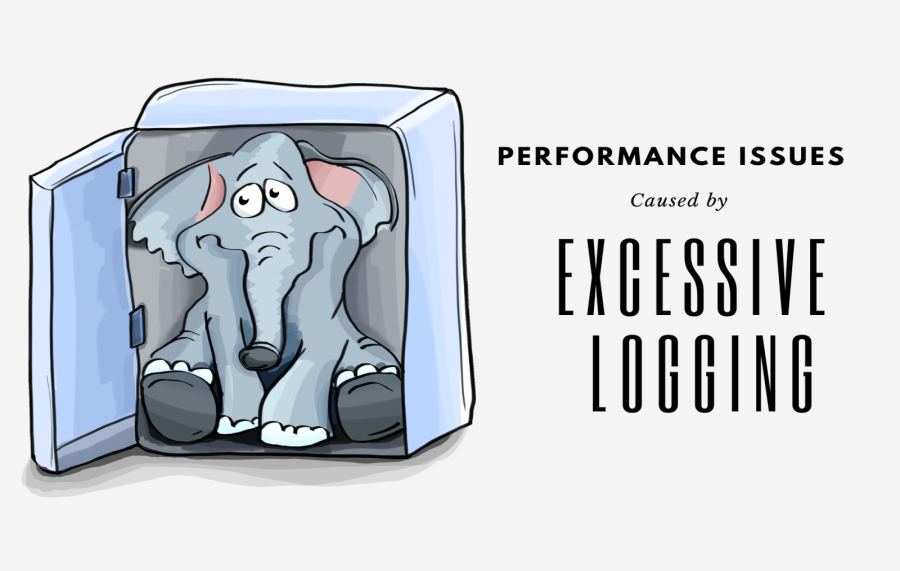
When Logs Slowly Become the Problem
Logging is one of the most important tools in any PHP application. Without logs, debugging production issues is almost impossible. You can’t pause execution. You can’t attach a debugger. Logs are all you have.
In the early days of a project, logging feels harmless.
- You log errors.
- You log unexpected behaviour.
- Sometimes you log input or responses to understand what’s going on. Everything works fine.
Over time,
- The application grows.
- More features are added.
- More users come in.
- More APIs are integrated.
- More cron jobs are created.
And logging grows along with it — quietly.
No one plans to over-log. It happens naturally. Each developer adds logs to solve their own problem. Each log feels small and safe.
Months later,
- Performance issues start appearing.
- Pages feel slower.
- APIs take more time.
- Cron jobs run longer.
- Servers feel busy without any clear reason.
There was no big code change, No sudden traffic spike, Nothing obvious looks wrong.
In many such cases, the real problem is simple but unexpected:
Logging itself has become a performance bottleneck.
This is dangerous because logging does not break things loudly.
It breaks them slowly, silently, and over time.
Why Developers Add Too Much Logging (And Why It’s Understandable)
Excessive logging is not caused by bad developers.It is caused by real-world pressure.
- Production systems fail in unpredictable ways.
- A payment callback fails once a day.
- An API returns wrong data for a few users.
- A cron job skips records without errors.
When this happens and logs are missing, developers feel blind. So the natural reaction is:
“Let me log more. Just in case.”
Developers start logging:
- Request data
- Response data
- Internal values
- Execution steps
This feels responsible, not careless.
Another reason is production debugging. Most bugs do not appear in local or staging environments. They appear only with real data and real traffic. Since you can’t debug production directly, logs become the only tool.
- Temporary logs are added to trace the issue.
- The issue is fixed.
- The logs are never removed.
Over time, these “temporary” logs pile up. Many PHP apps also lack proper monitoring tools. No performance dashboards.No tracing. No clear error visibility.
So logs are used for everything:
- Debugging
- Monitoring
- Analytics
- Auditing
This overloads logs with responsibility they were never meant to handle.
All of this creates a perfect setup for excessive logging — without bad intentions.
What Really Happens When PHP Writes Logs
A log line looks simple in code.
But it is not free.
When PHP writes a log, several things happen:
- Data is converted into text
- Arrays and objects are serialized
- Strings are built in memory
- A file is accessed
- A disk write happens
- Often a file lock is involved
Disk operations are much slower than memory operations.
And disk is a shared resource.
The same disk is also used by:
- Database files
- Session storage
- Cache
- Uploads
- Other system processes
When logging becomes frequent, disk I/O stays busy all the time.
If multiple PHP processes write to the same log file, file locking becomes another issue.
Only one process can write at a time.
Others wait.
This waiting time directly increases response time.
If logs are not rotated properly, files grow very large.
Writing to large files becomes slower.
Disk space fills up.
Systems become unstable.
All of this happens quietly in the background.
Logging Patterns That Quietly Kill Performance
Some logging patterns are especially dangerous.
One of the worst is logging inside loops.
A loop that runs thousands of times turns one log line into thousands of disk writes.
This is extremely common in:
- Data imports
- Batch jobs
- API syncs
- Cron scripts
The code itself may be fast.
But the logging slows everything down.
Another common mistake is logging large data structures.
Arrays, objects, full API payloads — they look small in code, but they are heavy.
Before writing them, PHP must serialize the entire structure.
This uses CPU and memory.
Then it writes large chunks of data to disk.
Disk space starts disappearing quickly.
Log files grow to gigabytes.
Logging on every request is another silent issue.
One log per request feels harmless.
But in high-traffic apps, this creates tens of thousands of disk writes per hour.
When debug logging is enabled in production, the damage multiplies.
Repeated warnings and notices are also a problem.
If the same warning happens on every request, logging it again and again adds no value.
It only floods logs and slows the system.
How Excessive Logging Affects PHP Application Performance
Excessive logging impacts performance in multiple ways at the same time.
Requests take longer because extra work is added to every execution.
Disk I/O becomes a bottleneck because logs are written constantly.
CPU usage increases due to serialization and formatting.
Memory usage spikes because large log messages need space.
File locking causes PHP processes to wait, especially during peak traffic.
On shared hosting, the impact is even worse.
Disk I/O limits are strict.
Excessive logging can trigger throttling or random slowdowns.
This is why logging-related performance issues are confusing.
Everything looks fine at first glance.
But the system feels slow and unstable.
Clear Signs That Logging Is Hurting Your App
There are some very practical signs.
- Log files grow rapidly without clear reason.
- Disk space alerts appear often.
- Performance drops during peak traffic but feels fine off-peak.
- Slowness appears without recent deployments.
- Hosting providers warn about high I/O usage.
When you see these together, logging should be one of the first things you audit.
How to Audit Logging in an Existing PHP App
You don’t need paid tools to audit logging.
Start by finding all log locations.
Many apps log in more places than expected.
Check log file sizes and how fast they grow.
Fast growth is a red flag.
Open log files and look for repeated patterns.
Same message repeated thousands of times usually means loop-level logging or repeated warnings.
Search for logs inside loops in the code.
These are high-impact fixes.
Finally, separate debug logs from real error logs.
Production logs should be focused and meaningful.
How to Optimize Logging Without Losing Visibility
The goal is not to remove logging.
The goal is to log smartly.
Use log levels properly.
Debug logs should not run in production by default.
Errors and important warnings should be clear and actionable.
Log conditionally.
Log failures, not every success.
Log unexpected cases, not normal flow.
Avoid logging full payloads.
Log identifiers, counts, or summaries instead.
Rotate logs properly so files don’t grow forever.
Use different logging behavior for different environments.
Development can be verbose.
Production should be calm and focused.
Common Logging Mistakes Developers Make
Leaving debug logs enabled in production is very common.
So is logging sensitive or unnecessary data.
Another mistake is logging success paths too heavily.
Success is expected.
Failures deserve attention.
Many teams also never review logs after deployment.
Old logs stay forever, even when they no longer add value.
A Simple Logging Checklist
Before adding or keeping a log, ask yourself:
- Is this useful in production?
- Does it help action or decision-making?
- Does it run frequently or inside a loop?
- Is the data size controlled?
- Are logs rotated and cleaned?
If not, the log probably does more harm than good.
Logging Should Help, Not Hurt
Logging is a tool, not a safety blanket.
Used wisely, it makes systems easier to debug and maintain.
Used excessively, it creates new performance problems.
The best systems are not the ones with the most logs.
They are the ones with the right logs.
- Clear.
- Focused.
- Useful.
Smart logging improves both performance and confidence — without fear.

Ketan Patel
PHP & MySQL Performance Optimization Specialist
I specialize in diagnosing and fixing slow PHP applications, optimizing MySQL queries, and resolving backend bottlenecks in live production systems. My approach is metric-driven — identifying root causes through profiling, execution analysis, and structured optimization instead of guesswork.