Debug and Fix Errors in PHP using error_reporting
Stop guessing. Learn how to force display_errors and E_ALL in your script or php.ini to find hidden syntax and runtime errors immediately.
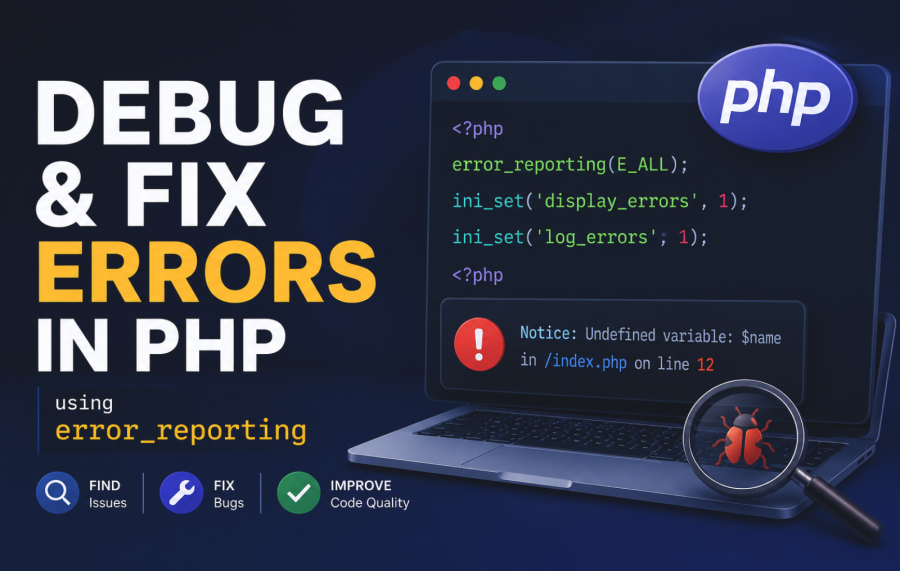
What is PHP Error Reporting?
PHP error reporting is a built-in mechanism that allows developers to control which errors, warnings, or notices are displayed or logged during script execution. It helps identify issues like syntax errors, undefined variables, deprecated functions, and more. Proper error reporting is essential for debugging during development and maintaining a secure, stable application in production.
PHP provides several error reporting levels, which can be configured globally (via php.ini) or within individual scripts using functions like error_reporting(). By fine-tuning these settings, developers can choose the level of detail they need.
Error Reporting Levels in PHP
PHP defines several error reporting levels as constants. Here are the most commonly used ones:
E_ERROR: Fatal errors that halt script execution (e.g., calling a non-existent function).E_WARNING: Non-fatal warnings that allow the script to continue (e.g., missing function arguments).E_NOTICE: Notices for potential issues, like accessing undefined variables.E_DEPRECATED: Warnings about deprecated features that may be removed in future PHP versions.E_ALL: Enables all PHP errors and warnings (recommended for development).E_STRICT: Suggestions for improving code compatibility and best practices.
You can combine these levels using bitwise operators (| or &) to customize error reporting.
Displaying Errors
The display_errors directive controls whether errors are shown in the browser. In development, enable it for immediate feedback:
<?php
ini_set('display_errors', 1);
ini_set('display_startup_errors', 1);
error_reporting(E_ALL);
?>
In production, disable display_errors to prevent sensitive information from being exposed:
<?php
ini_set('display_errors', 0);
?>
Logging Errors
Logging errors to a file or external service is crucial for production environments. Enable log_errors and specify an error_log path in php.ini:
log_errors = On
error_log = /var/log/php_errors.log
Alternatively, use ini_set() in your script:
<?php
ini_set('log_errors', 1);
ini_set('error_log', '/path/to/php_errors.log');
?>
While logging errors is important, developers should also understand how excessive logging can impact PHP application performance in large production systems.
Configuring Error Reporting
PHP offers multiple ways to configure error reporting, depending on your environment and requirements.
Using error_reporting() Function
The error_reporting() function sets the error reporting level for a specific script. Place it at the beginning of your PHP file to control which errors are reported.
<?php
// Enable all error reporting
error_reporting(E_ALL);

// Report only errors and warnings, excluding notices
error_reporting(E_ERROR | E_WARNING);
?>
Modifying php.ini
For global configuration, you can modify the php.ini file. This is ideal for server-wide settings.
; Enable all errors
error_reporting = E_ALL

; Display errors in development
display_errors = On

; Log errors to a file
log_errors = On
error_log = /path/to/error.log
After modifying php.ini, restart your web server (e.g., Apache or Nginx) to apply changes.
Using .htaccess
If you lack access to php.ini, you can configure error reporting in an .htaccess file (for Apache servers).
php_value error_reporting 32767  ; E_ALL
php_flag display_errors On
php_value log_errors On
php_value error_log /path/to/error.log
Practical Examples
Many runtime warnings and bugs happen because of invalid user input, so learning about validating user input like dates properly in PHP is an important defensive coding practice.Here are some practical examples to demonstrate PHP error reporting in action.
Example 1: Enabling All Error Reporting
This script enables all error reporting to catch every issue during development.
<?php
// Enable all error reporting
error_reporting(E_ALL);
ini_set('display_errors', 1);

// Example code with potential issues
$undefinedVar; // Triggers E_NOTICE
echo 10 / 0;   // Triggers E_WARNING
callNonExistentFunction(); // Triggers E_ERROR
?>
Output (in browser):
Notice: Undefined variable: undefinedVar in /path/to/script.php on line 5
Warning: Division by zero in /path/to/script.php on line 6
Fatal error: Call to undefined function callNonExistentFunction() in /path/to/script.php on line 7
Example 2: Handling Specific Error Types
This example shows how to report only specific error types, such as warnings and errors.
<?php
// Report only errors and warnings
error_reporting(E_ERROR | E_WARNING);
ini_set('display_errors', 1);

// Test cases
$undefinedVar; // No notice reported
echo 10 / 0;   // Warning reported
callNonExistentFunction(); // Error reported
?>
Output:
Warning: Division by zero in /path/to/script.php on line 6
Fatal error: Call to undefined function callNonExistentFunction() in /path/to/script.php on line 7
Example 3: Custom Error Handling
You can define a custom error handler to format or log errors in a specific way.
<?php
// Set custom error handler
function customErrorHandler($errno, $errstr, $errfile, $errline) {
    $message = "Error [$errno]: $errstr in $errfile on line $errline\n";
    file_put_contents('/'/path/to/custom_error.log', $message, FILE_APPEND);
    echo "<div style='color: red;'>$message</div>";
}

// Apply the custom handler
set_error_handler('customErrorHandler', E_ALL);

// Trigger an error
$undefinedVar; // Triggers E_NOTICE
?>
Output (in browser and custom_error.log):
Error [8]: Undefined variable: undefinedVar in /path/to/script.php on line 10
Best Practices for PHP Error Reporting
- Development vs. Production: In development, enable
E_ALLanddisplay_errorsfor immediate feedback. In production, disabledisplay_errorsand enablelog_errorsto avoid exposing sensitive information. - Use Custom Error Handlers: Implement custom error handlers to log errors to a file, database, or monitoring service like Sentry.
- Monitor Deprecated Notices: Pay attention to
E_DEPRECATEDwarnings to future-proof your code against PHP version upgrades. - Test with Strict Reporting: Occasionally test with
E_STRICTto ensure code compatibility and adherence to best practices. - Secure Error Logs: Store error logs outside the web root and restrict access to prevent unauthorized access.
Common Pitfalls to Avoid
- Leaving
display_errorsOn in Production: Exposing errors can reveal sensitive information, such as file paths or database credentials. - Ignoring Notices: Notices often indicate potential bugs, like undefined variables. Address them during development.
- Overwriting Global Settings: Be cautious when modifying error reporting in scripts, as it may conflict with
php.inisettings. - Not Logging Errors: Without logging, you may miss critical issues in production that users encounter.
Conclusion
PHP error reporting is a powerful tool for debugging and maintaining robust applications. By understanding error levels, configuring reporting appropriately, and following best practices, you can catch issues early and ensure a seamless user experience. Use the provided examples to experiment with error reporting in your projects, and always tailor settings to your environment (development or production).
For more advanced error handling, consider integrating third-party tools like Monolog or Sentry for comprehensive logging and monitoring. Start implementing these techniques today to build more reliable PHP applications!

Ketan Patel
PHP & MySQL Performance Optimization Specialist
I specialize in diagnosing and fixing slow PHP applications, optimizing MySQL queries, and resolving backend bottlenecks in live production systems. My approach is metric-driven — identifying root causes through profiling, execution analysis, and structured optimization instead of guesswork.